AAC isn't an accessory. It's everything.
CherryChat is one web-based system for every user in every setting. It was built by a teacher who wanted AAC to be the focus, not an afterthought.
- One board, every access method. Make a board once, and each AAC user accesses it with touch, scanning, dwell, text or high contrast.
- Model without touching their device. Tap a word on your screen and it lights up on theirs, whether you're a parent, teacher or SLP.
- See messages as they're built. Prompt or correct at the right moment, and share progress across home, school and therapy.
Works in your web browser on iPad, Chromebook, Windows and Mac. Needs an internet connection.

If AAC is part of your day, CherryChat is for you.

AAC users and families
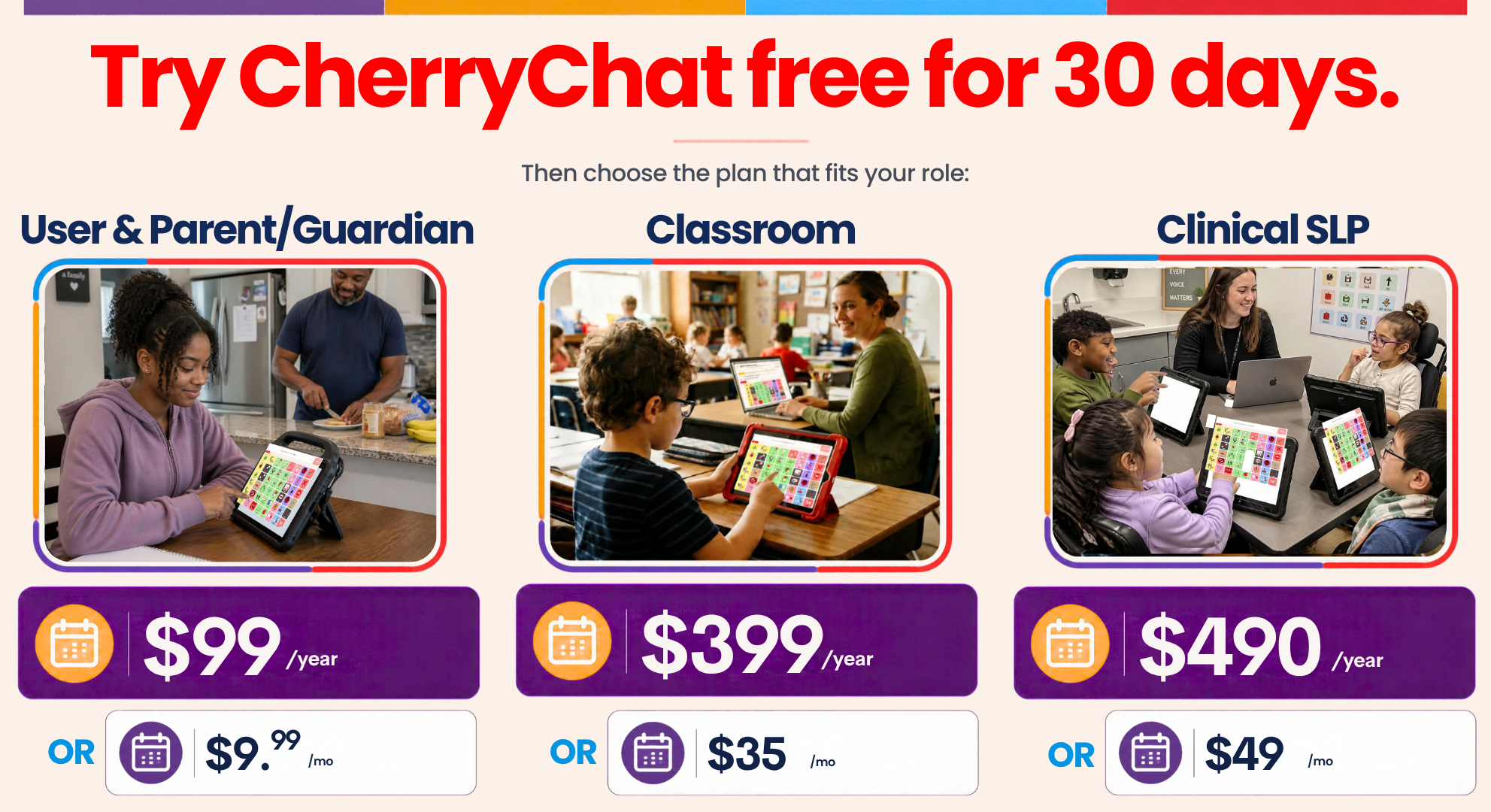
AAC users of any age, from students to adults, plus their parents, family and friends. The Core 48 board is ready on day one. Edit it to fit you or your child, share it with school, and invite family and friends to chat.
See CherryChat for AAC users and families
School teams
Teachers, co-teachers, TAs and school-based SLPs. Make one board for the whole class, and each student accesses it the way that works for them. Model on their screens, and see everyone's progress in one place.
See CherryChat for school teams
Clinical SLPs
SLPs in private practice and clinics. Add your clients, choose a board and start a session. See what each client says on their own, after a model or after a correction, and draft SOAP notes you review and edit.
See CherryChat for clinical SLPsExplore what makes CherryChat different from the rest.
Model on their screen.
Tap a word on your screen and it lights up on theirs. You never have to take their device, and they choose what to do next.
Teacher models — words appear on the student's screen
Teacher
Modeling…
 I
IStudent
Watching…
I couldn't find a single commercial AAC system that matched the different needs of all of my students. So I built it.


I'm Jenna Cherry, and I've worked with AAC users for over 15 years. In my own classroom, I kept running into the same four problems.
I couldn't support a message until it was already sent.
I couldn't see what a student was typing until they hit send, so I couldn't help while they were still building it. Modeling required me to use their device and be in close proximity. Communication breakdowns were happening daily. Additionally, I couldn't collect the data I needed to help my students learn how to communicate with AAC.
Students weren't getting to speak for themselves.
The caring adults in their world were talking for them, so the value of independent communication felt lost. Behavior replaced communication in so many scenarios. Peer interaction using AAC wasn't happening. Students on different devices couldn't talk to each other without being in the same place. On video chats with family across the country, the student ended up being spoken to instead of being spoken with.
AAC didn't travel, and collaboration became nonexistent.
Physical AAC systems didn't make the move from school to home. Parents couldn't see what we were working on in the classroom except at IEP progress report time, and there was no good way to share the words used at home with the classroom. Private therapists had no access to what happened at school, and the school team had no access to therapy.
Individualizing AAC took more time than I had.
Modeling couldn't be consistent because every student's AAC was different. Supporting different devices felt overwhelming, and building boards for different learners, some on a 9-button grid and others on 64, was slow and hard to keep up. I had to choose: try to model 12 different AAC systems, or not focus on AAC at all. I needed AAC to be part of my class, so for my sanity I made the choice to stop individualizing and use a one-size-fits-all system instead.
In CherryChat, you can:
Want to know more about the story behind CherryChat and how it can help eliminate the common barriers to AAC use? Read here.
Common questions
Yes. It can be their everyday communication system at school and at home. Start with the Core 48 board, build your own, or upload a PDF or PNG of a board you already use and CherryChat builds it for you to edit.
More questions? See all questions on the Help page.
Choose it. Chat it. Connect with CherryChat.
Click through the demo, or start your 30-day free trial. No credit card needed.